QR table ordering: more orders on busy nights, with no aggregator commission
Guests scan, order and pay by UPI from the table. Here is how to use QR ordering to serve more tables on busy nights, without losing the personal touch.
On a Saturday night, your captains are the bottleneck. Guests wait to order, wait to add a dish and wait for the bill. QR table ordering lets guests do the simple parts themselves, so your team can focus on service.
How it works
- Each table has its own QR code.
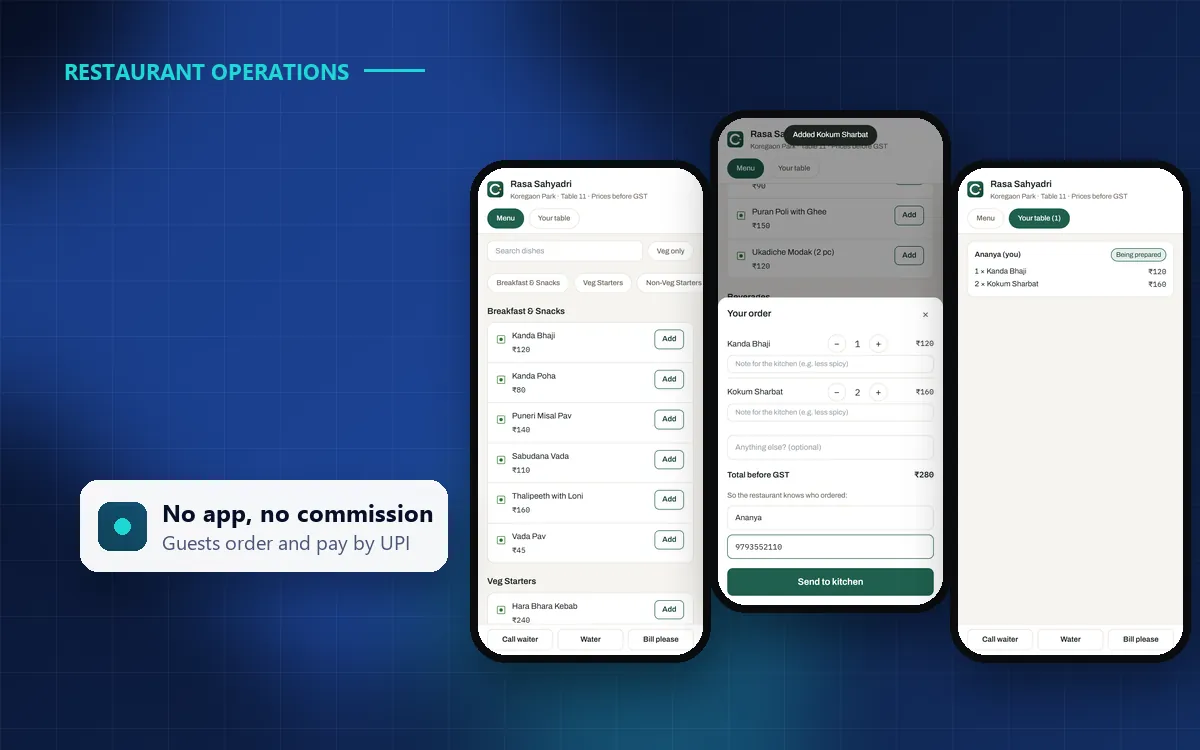
- The guest scans it, and your menu opens in the phone’s browser. No app to install.
- They choose dishes, sizes and add-ons, add a note for the kitchen, and send the order.
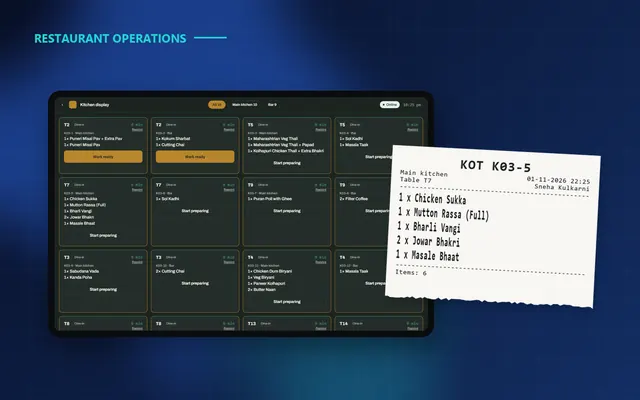
- Staff accept it on the POS (or it goes straight to the kitchen, if you prefer), and the KOT reaches the right station.
- The guest follows their order, calls the waiter, asks for the bill and pays by UPI.
Why restaurants use it
- More orders on busy nights. Guests order when they are ready, including the second round of drinks and dessert.
- Fewer mistakes. The order is exactly what the guest chose, with their notes.
- No commission. Unlike aggregator apps, ordering from your own tables costs you nothing per order.
- Faster table turns. The bill and UPI payment happen at the table, without waiting for the cashier.
What to watch out for
- Keep the human touch. QR ordering should help your staff, not replace them. Captains still greet guests, recommend dishes and check on tables.
- Control what reaches the kitchen. Staff approval for each order prevents prank orders and lets you check large orders first.
- Pause when you need to. On a short-staffed day, or if the kitchen is overloaded, you should be able to switch it off in seconds.
- Make it fast on any phone. The menu should load quickly on budget Android phones and slow mobile data.
QR ordering works best as a choice for guests, not a rule. Some will scan; others will call the captain. Both should feel easy.
Rolling it out
- Start with one section, such as the terrace or garden, on weekends.
- Choose staff approval at first, so your team sees every order.
- Train captains to mention it when seating guests.
- After a few weeks, check how many orders came by QR and how fast your team accepted them.
QR ordering in Covers
Covers includes QR table ordering with UPI payment, call-waiter and bill requests. You choose whether staff approve each order or it goes straight to the kitchen, and you can pause it from Covers Admin at any time. Reports show QR orders, acceptance rates and how quickly your team responds.
Key takeaways
Use QR ordering to remove waiting, not people. Start small, keep staff approval on, and measure the results. See it live in a Covers demo.